


CG2400SV | ColorEdge
24.1-inch · IPS · 1920 x 1200 (WUXGA)
This 24.1-inch WUXGA (1920 x 1200) monitor features SDI connectivity for seamless integration into professional broadcast and video production workflows. Whether on-site or in-studio, its compact design, built-in self-calibration sensor, and HDR gamma support help ensure every moment is displayed in stunning detail.
Upgrade Your Workflow with the EIZO ColorEdge CG2400SV
The ColorEdge CG2400SV brings SDI connectivity and HDR workflow tools to a compact 24.1-inch screen. With 98% DCI-P3 coverage, built-in self-calibration, Pixel Inspection and pro presets, it’s made for edit suites, control rooms and mobile productions.

Where to buy
PARTNERS
EIZO SALES TEAM
ColorEdge Solutions
For the creative professional.

31.5-inch · OLED · 3840 x 2160 (4K UHD)
The CG3200X is the first OLED model in the ColorEdge family, delivering ColorEdge-class precision for HLG, PQ, and SDR workflows. Powered by a Quantum Dot OLED panel, it offers exceptional HDR control, vivid colour expression, and deep blacks across a generous 31.5-inch 4K UHD screen.

31.5-inch · IPS · 3840 x 2160 (4K UHD)
The CS3200X is the first 31.5‑inch 4K model in the ColorEdge CS Series, offering creators a new kind of workspace - expansive, detailed, and built to keep up with every idea. Its ultra‑sharp 4K resolution and HDR gamma bring added value while core ColorEdge technologies inside ensure that what you see is precise, reliable, and ready for real creative decisions. It's the perfect partner for videographers, photographers, designers, and any detail‑driven creator seeking professional‑grade results.

30.5-inch · IPS · 4096 x 2160 (4K HDR)
This 30.5-inch professional-grade monitor features stunning DCI 4K (4096 x 2160) resolution, 500 cd/m² high brightness, HDR gamma support, and versatile USB Type-C® connectivity. Whether you’re creating, editing, or working in a live environment, display your content in exceptional detail for an immersive experience and truly captivating results.

24.1-inch · IPS · 1920 x 1200 (WUXGA)
This 24.1-inch monitor features WUXGA (1920 x 1200) resolution and HDR gamma support to bring creative visions to life with stunning detail. With a built-in self-calibration sensor and USB Type-C® connectivity, it offers a seamless workflow for professional creatives in any field. Whether your focus is photography, video editing, design, or print, empower your creativity and make a lasting impact.

30.5-inch · IPS · 4096 x 2160 (DCI-4K)
Ignite your vision with this true HDR reference monitor featuring EIZO's unique algorithm and award-winning built-in calibration sensor technology for exceptional 4K HDR display in the post production workflow.

24.1-inch · IPS · 1920 x 1200
This new generation 24.1-inch monitor features 1920 x 1200 resolution and covers 100% of the sRGB color space for digital media creation. USB Type-C® provides streamlined connectivity, making it easier than ever to stay connected and stay inspired.

24.1-inch · IPS · 1920 x 1200
This new Limited Edition 24.1-inch monitor features 1920 x 1200 resolution and covers 99% of the Adobe RGB colour space for faithful reproduction of colour. USB Type C® connectivity provides a streamlined experience for creatives who enjoy photography, video, illustration, and design. The CS2400S-LE monitor is limited to 30Hz refresh-rate via a firmware update.

27-inch · IPS · 2560 x 1440 (2K WQHD)
This flagship 27-inch monitor marks a new generation of ColorEdge with a new exterior design. With 2K WQHD (2560 x 1440) resolution, 400 cd/m2 high brightness, and HDR gamma support, the monitor reproduces content in remarkable detail. USB Type-C® connectivity provides a streamlined experience so professionals in video editing, game development, photography, and more can focus on creating.

27-inch · IPS · 3840 x 2160 (4K UHD)
This flagship 27-inch monitor marks a new generation of ColorEdge with a new exterior design. With 4K UHD (3840 x 2160) resolution, 500 cd/m2 high brightness, and HDR gamma support, the monitor reproduces content in remarkable detail. USB Type-C® connectivity provides a streamlined experience so professionals in video editing, game development, photography, and more can focus on creating.

27-inch · IPS · 2560 x 1440
ColorEdge CS2731 let's you leave cable clutter and connectivity issues behind with this USB Type-C® equipped color management monitor. With single cable connection and 60 W power delivery, it provides convenience and a streamlined workspace so you can focus your creative energy where it matters most.

27-inch · IPS · 3840 x 2160
With 4K UHD (3840 x 2160), a spacious 27-inch screen, and USB Type-C® connectivity, this monitor facilitates a detail-oriented, comfortable, and streamlined workflow ideal for any creative field. Whether it be photography, video editing, or design, this monitor gives you everything you need to keep your imagination flowing.
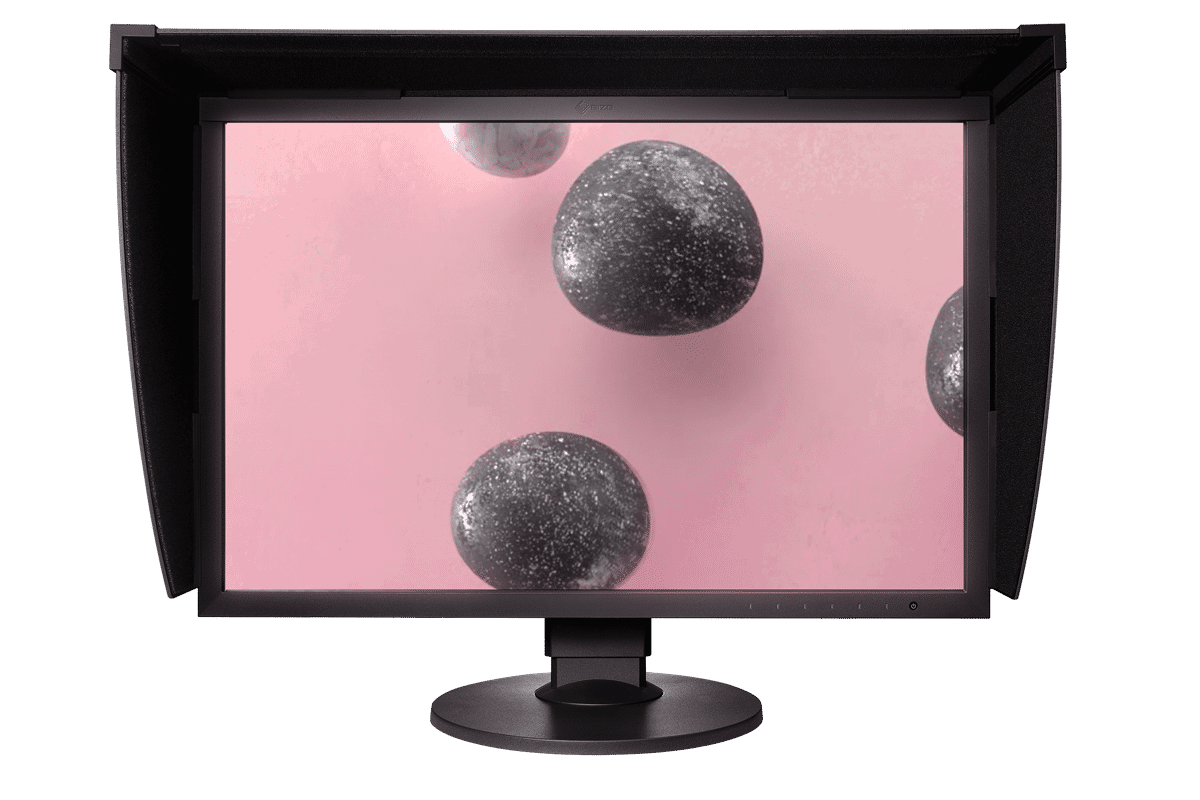
24.1-inch · IPS · 1920 x 1200
Let your imagination soar with this professional-level model for use in photography, design, print, and post production. It features a built-in self calibration sensor for hassle-free monitor maintenance, vivid colours reproduced to industry standards, and exceptionally high contrast for producing true blacks.
Monitor Series
Precision that Performs Live

1. Advanced Connectivity
SDI Connectivity
The CG2400SV features SDI input and output terminals, supporting 3G-SDI Level A and HD-SDI signals. SDI connectivity enables the transmission of uncompressed video signals, preserving the full fidelity of HDR content without introducing visual artifacts. This ensures seamless integration with professional camera systems and live video feeds, making the monitor a reliable solution for accurate monitoring on-site and in-studio

Flexible Connection, Sleek Cabinet Design
In addition to SDI, the CG2400SV includes DisplayPort™ and HDMI® terminals, as well as two USB Type-B inputs. Four USB ports (USB 5Gbps: Type A x 2, USB 2.0: Type-A x 2) are also easily accessible from the side for connecting additional devices or peripherals.
A sleek cabinet design with rounded edges and a non-intrusive stand base allows the monitor to fit comfortably in any creative environment, while a built-in carrying handle on the back provides a stable grip for smooth relocation or transportation.

Headphone Jack for Direct Audio Output
The CG2400SV features a headphone jack for conveniently checking audio content.
EIZO also offers the ColorEdge CG2400S, equipped with USB Type-C® connectivity for streamlined use in a wide range of creative workflows, such as photography, design, and print.
2. Colour Precision
Industry Standard Colour Reproduction with Broadcast and Cinema Presets
The monitor’s wide colour gamut covers 98% of the DCI-P3 standard used in digital cinema and supports the BT.2020 standard used in broadcasting for exceptionally faithful reproduction of colour. It also covers 99% of the Adobe RGB colour space so images and video shot in Adobe RGB will be displayed correctly. Colour mode presets can easily be changed via the switches on the front of the monitor, enabling straightforward colour management for each project.

10-Bit Simultaneous Display
The monitor offers 10-bit simultaneous display* from a 16-bit look-up table (LUT), which means it can produce more than one billion colours. This is 64 times more colours than you get with 8-bit display, resulting in smooth colour gradations and reduced Delta-E between two adjacent colours.
*A graphics board and software which support 10-bit output are also necessary for 10-bit display. Equipment that supports Deep Colour is required for 10-bit display when connected via HDMI® port.

3D LUT for Accurate Colour Display
The monitor is equipped with a 3D LUT, which adjusts colours on an RGB cubic table. Using ColorNavigator 7’s LogView LUT Emulation function, users can emulate film colour properties using a 3D LUT file.
- Japan patent no. 4808588

Built-In Sensor to Automate Your Workflow
The monitor’s built-in sensor can be set to calibrate the monitor automatically at designated times. This eliminates the need for a third-party calibration device and ensures your screen stays colour-accurate. In addition, the sensor swings onto the screen, taking up minimal space and allowing you to continue working even during calibration.
- Japan patent no. 4809453
- EIZO does not recommend carrying out colour-critical work during recalibration, as the screen’s colours will be adjusted.

ColorNavigator 7 Colour Management Software
EIZO’s proprietary free ColorNavigator 7 software is the complete colour management solution for reliable calibration and quality control of ColorEdge monitors. It offers multiple preset colour modes, simultaneous calibration of all modes, and automatic recalibration to ensure consistent colour accuracy. It also allows calibration targets to be set for brightness, white point, gamma (EOTF), and colour gamut for more fine-tuned control.

ColorNavigator Network Quality Control Software
EIZO’s ColorNavigator Network provides centralized quality control of ColorEdge monitors for studios with multiple creators and editors working on shared projects. An administrator can set the colour modes, schedule automatic self-calibration for monitors with built-in sensors, register or adjust asset management settings, and more – all carried out remotely over the network. For large-scale projects, this ensures that the appropriate colour standards are used at every step and saves hundreds of hours spent on calibration and maintenance.

3. Features for Previewing and Editing
HDR Gamma Curves
For HDR content, the CG2400SV supports the gamma (EOTF) compatible hybrid log-gamma (HLG) transfer function for broadcasting and perceptual quantization (PQ) curve for production of films and streamed content.
EOTF stands for Electro-Optical Transfer Function.
HLG and PQ were standardized by the International Telecommunication Union (ITU) as ITU-R BT.2100. PQ was standardized by the Society of Motion Picture Television engineers (SMPTE) as ST-2084.
Image for illustrative purposes only.
True Black Display
In compliance with the DCI standard, the monitor offers a high contrast ratio of 1800:1* for producing true blacks that are otherwise difficult to display on a typical LCD monitor. Furthermore, it is equipped with a retardation film that allows tones to retain their depth even when viewed from an angle.
*Typical value when DUE Priority is set to “Brightness”.
Accurately Preview Log Footage
With ColorNavigator 7, users can upload a LUT or log profile directly to the monitor, enabling accurate previewing of footage with correct colour and contrast. This ensures that what is seen on-site during filming or in-studio during editing reflects the intended output, helping professionals maintain visual consistency throughout production.
Sync Signal
The monitor’s Sync Signal function automatically switches the colour settings – brightness, gamma (EOTF), and colour gamut – according to the metadata of the input signal. This eliminates the need to manually switch colour settings when working on multiple projects, so users can be confident that they are always working with the correct settings.

Pixel Inspection
Working within the wrong parameters affects editing decisions, potentially requiring significant rework of projects and causing costly delays in production schedules. Pixel Inspection, operated through the monitor’s OSD, shows the colour information of a pixel from the source input data and the data as it is displayed on the monitor.
System managers can use this information to verify that the creator’s technical settings match the current project’s predefined colour parameters. This is especially helpful when creators are working remotely and system managers cannot verify settings directly. By ensuring that creators are working under the appropriate technical conditions, studios can reduce the likelihood of project rework due to mismatched technical settings.

Markers for Information Overlay
The CG2400SV features a marker function to ensure that elements, such as text or graphics, are properly positioned on the screen. Up to three markers can be displayed to define areas of the screen where content will be shown. The position, size, and colour of each marker can be adjusted to suit the current project.

Check PQ Contents at Any Brightness Level
The PQ Option function allows the input signal to be clipped or emulated to fit within the luminance value of the monitor. This enables users to simulate how the signal will appear in other display environments.
Luminance Warning
The Luminance Warning function allows users to check the areas where clipping or emulation occurs when PQ Option is enabled. These areas are marked in yellow or magenta to easily distinguish them within the image.

BT.709 Out-of-Gamut Warning
The monitor includes a Gamut Warning function that indicates areas of a BT.2020 image that cannot be reproduced in the BT.709 colour space – the standard for Full HD broadcasts – by displaying them in shades of gray. An additional Clip mode allows the editor to view BT.2020 images within the BT.709 colour space, simulating how it would look in an HDTV environment.

4. Stable Image Display
Adjusted at the Factory for Smooth Colour Gradations
The gamma level for each ColorEdge monitor is adjusted at the factory by measuring the R, G, and B gamma values from 0 – 1023. The monitor’s 16-bit LUT is then used to select the 1024 most appropriate tones and achieve the desired value. This ensures the smoothest colour gradations in your images.

Uniformity Across the Screen
LCD monitors commonly exhibit fluctuations in brightness and chromaticity across the screen, affecting colour accuracy. To counter this, ColorEdge monitors are equipped with EIZO’s patented digital uniformity equalizer (DUE) technology which corrects deviations in every tone across the screen to ensure stable display.
- Japan patent no. 4490899, 4542988, 5618574, 5651419

Stable Display Using Industry-First AI
The colour and brightness of an LCD monitor can shift due to changes in ambient temperature. ColorEdge CG series monitors are equipped with a sensor that both measures the temperature inside the monitor and estimates the ambient room temperature. Using this technology, the monitor adjusts in real time to maintain accurate gradation, colour, brightness, and other characteristics.
In addition, the monitor uses AI (Artificial Intelligence) in its estimation algorithm to detect and distinguish patterns in temperature changes for more precise calculations, ensuring a stable and accurate display.
- Japan patent no. 6723964

Stable Colour in Just 3 Minutes
A typical monitor takes 30 minutes or more for its brightness, chromaticity, and tone characteristics to stabilize. ColorEdge monitors take a mere 3 minutes* so you get reliable colour display soon after turning the monitor on.
*Based on EIZO’s internal testing.
Verified Accuracy with Factory Report
Included in the box of every CG2400SV is a Factory Report which shows the measurement results at the time of production. The report includes uniformity, gamma, gamut coverage, and colour temperature measurements which verify every unit’s accuracy.

5. Design and Comfort
Noiseless, Fanless Operation
The CG2400SV provides noiseless, fanless operation while still maintaining low heat output without impacting performance.

Light-Shielding Hood
The monitor comes bundled with a light shielding hood that effectively prevents glare on the screen caused by ambient lighting. The hood is designed to be lightweight and easily attaches to the monitor magnetically without needing to connect separate parts.

Ergonomic Stand
The monitor comes with a versatile stand that offers height adjustment, tilt, swivel, and pivot, allowing you to adjust the screen to the most comfortable angle and reposition it to show your work to others. The stand is also equipped with a quick release for easily removing the screen via a single touch.

Technical data
| PANEL | |
| Type | IPS |
| Backlight | Wide-Gamut LED |
| Size | 24.1" (61.1 cm) |
| Native Resolution | 1920 x 1200 (16:10 aspect ratio) |
| Viewable Image Size (H x V) | 518.4 x 324.0 mm |
| Pixel Pitch (H x V) | 0.270 x 0.270 mm |
| Pixel Density | 94 ppi |
| Display Colors | 1.07 billion colors, 10-bit display (from a palette of 278 trillion, 16-bit LUT) |
| Viewing Angles (H / V, typical) | 178°, 178° |
| Brightness (typical) | 400 cd/m2 |
| Contrast Ratio (typical) | 1800:1 |
| Response Time (typical) | 11 ms (gray-to-gray) |
| Color Gamut (typical) | Adobe RGB: 99%, DCI-P3: 98% |
| VIDEO SIGNALS | |
| Input Terminals | DisplayPort (HDCP 2.3), HDMI (Deep Color, HDCP 2.3), BNC (3G/HD-SDI) |
| Output Terminals | BNC (3G/HD-SDI, through-out (active)) |
| Digital Scanning Frequency (H / V) | DisplayPort: 26 - 76 kHz / 23 - 61 Hz HDMI: 15 - 76 kHz / 23 - 61 Hz |
| USB | |
| Upstream | USB 5Gbps: Type-B x 2 |
| Downstream | USB 5Gbps: Type-A x 2 USB 2.0: Type-A x 2 |
| AUDIO | |
| Input Terminals | DisplayPort, HDMI, BNC (SDI) |
| Output Terminals | Headphones (Stereo mini jack) |
| POWER | |
| Power Input | AC 100 - 240 V, 50 / 60 Hz |
| Typical Power Consumption | 18 W |
| Maximum Power Consumption | 64 W |
| Power Save Mode | 0.5 W or less |
| BUILT-IN CALIBRATOR SENSOR | Yes |
| FEATURES & FUNCTIONS | |
| Brightness Stabilization | Yes |
| Digital Uniformity Equalizer | Yes |
| Preset Modes: | User, BT.709, BT.2020, DCI-P3, PQ_DCI-P3, PQ_BT.2100, HLG_BT.2100, sRGB, Calibration (CAL), SYNC_SIGNAL |
| HDR Gamma | HLG, PQ curve |
| OSD Languages | English, German, French, Spanish, Italian, Swedish, Simplified Chinese, Traditional Chinese, Japanese |
| Others | Color Adjustment, PQ Option, HLG Option, SelfCalibration, Input Color Format, YUV Color Matrix, Input Range, I/P Conversion, Picture Expansion, DCI 2K Cropping, BT.709 Gamut warning, Luminance Warning, Marker, Menu Rotation, Power Save, Input Skip, Mode Skip, Custom Key, Information Display, Key Lock, DUE Priority, Pixel Inspection |
| PHYSICAL SPECIFICATION | |
| Dimensions (Landscape, W x H x D) | 554.4 x 408.1 - 563.1 x 245 mm |
| Dimensions (Without Stand, W x H x D) | 554.4 x 374.1 x 70.2 mm |
| Dimensions (Landscape with Hood, W x H x D) | 564.4 x 413.1 - 568.1 x 330 mm |
| Net Weight | 8.5 kg |
| Net Weight (Without Stand) | 5.5 kg |
| Net Weight (With Hood) | 9.0 kg |
| Height Adjustment Range | 155 mm |
| Tilt | 35° Up, 5° Down |
| Swivel | 344° |
| Pivot | 90° |
| Hole Spacing (VESA Standard) | 100 x 100 mm |
| ENVIRONMENTAL REQUIREMENTS | |
| Temperature: | 0 – 35˚C |
| Humidity (R.H., non condensing): | 20 – 80 % |
| CERTIFICATIONS & STANDARDS | CB, CE, UKCA, TUV/GS, cTUVus, FCC-A, CAN ICES (A), VCCI-A, RCM, RoHS, WEEE, TUV/Ergonomics |
| PROPRIETARY SOFTWARE | |
| Quick Color Match | Supported |
| ColorNavigator 7 | Supported |
| SUPPLIED ACCESSORIES | May vary by country. Please contact EIZO for details. |
| Signal Cables | DisplayPort (2 m), HDMI (2 m) |
| Others | AC power cord, USB Type-A - USB Type-B cable (2 m), Setup guide, Factory Report, Monitor hood, Warranty card |
| WARRANTY | 5 Years |
| Warranty Notes | 1) With current LCD / OLED technology, a panel may contain a limited number of missing or flickering pixels. 2) If the monitor is left on continuously over a long period of time, dark smudges or burn-in may appear. To maximize the life of the monitor, we recommend the monitor be turned off periodically. 3) Zero bright sub-pixels for six months from date of purchase for purchases made on September 1, 2015 or later. |
| Dimension Drawing |
Downloads
Accessories
Is there something else you need? If you are interested in any of the accessories for the CG2400SV, please contact us.


Our Contribution to SDGs
As part of its corporate social responsibility (CSR) activities, EIZO is contributing towards the United Nations’ Sustainable Development Goals (SDGs).
Higher Work Efficiency
ColorEdge hardware and software solutions provide high-precision color management to photographers, designers, post production studios, printers, and more. Implementing color management in the workflow ensures the same color information is shared throughout each step of the creative process, streamlining communication between artists and teams, and reducing costly rework.
Environmentally Friendly
Our products for creative work are designed to promote energy efficiency for reduced power consumption and greenhouse gas emissions, while maintaining the high performance and functionality needed for creators in every industry. We also implement a responsible after-service recycling system.
Warranty
A manufacturer’s 5-year warranty covers all components including the LCD panel. EIZO can guarantee the long service life because it manufactures its products at its own factories, ensuring close control over production quality.
Five-year warranty
ColorEdge monitors are backed by a manufacturer’s 5-year warranty that covers all components including the LCD panel*. EIZO manufactures its products at its own factories to allow close control over production quality and ensure each monitor is built to last.
Usage time is limited to 30,000 hours (10,000 hours for the LCD panel).
Zero Bright Pixels
EIZO guarantees its ColorEdge monitors will be free from bright sub-pixels for six months from the date of purchase.
Brightness and Color Warranty
The brightness and color of the ColorEdge CG2700S is warranted for up to 10,000 hours from the date of purchase. When used at a color temperature of 5000 – 6500K, a brightness level of at least 120 cd/m2 is warranted.
Certified for Quality and Performance
The monitor is recognized by Fogra as a Class A FograCert Softproof Monitor. Using it in a FograCert Softproofing System ensures designers, print specifiers, and print producers can rely on the soft proof for predictable and consistent results.
Sustainable by Design
Making a positive impact for people and planet
Read our latest white paper to understand the steps that EIZO is taking on a local and global level to reach our Net-zero goal.

Additional information
| Product Range | |
|---|---|
| Areas of Application | Pro Photography, Post production / 3DCg, Design / Printing, Ambassador program |
| Screen Size | |
| Resolution | |
| Signal Connections | |
| Adobe RGB |