


FlexScan EV3451X: Ultrawide Clarity for the Modern Workplace
The EIZO FlexScan EV3451X is a 34.1″ ultrawide curved monitor with UWQHD resolution (3440 x 1440) and a 21:9 aspect ratio, delivering 2.4 times the workspace of a standard Full HD display. A single USB Type-C connection handles video, audio, USB data, network, and up to 94 W of power delivery, making it ideal for hot-desking and home offices.
The built-in KVM switch and integrated LAN port keep multiple computers connected and controlled from a single desk. Eye comfort features include Auto EcoView, flicker-free technology, and Paper Mode with up to 80% blue light reduction. Certified to ENERGY STAR, TCO Certified Gen 10, and EPEAT Climate+ standards, backed by the world’s first 7-year monitor warranty.
Where to buy
PARTNERS
EIZO SALES TEAM
FlexScan Solutions
From the workplace to your home office.

42.5-inch · IPS · 3840 x 2160 (4k)
The EV4340X features a spacious 42.5-inch screen with 4K resolution and USB Type-C connectivity for streamlined viewing and operation for the modern business professional.

34.1-inch · IPS · 3440 x 1440 (UWQHD)
The 34.1-inch EV3450XC is EIZO's first monitor with a built-in webcam and microphone. Combined with USB Type-C docking and LAN capabilities, this ultrawide UWQHD (3440 x 1440) curved monitor offers streamlined viewing and communication for the modern business professional.

27-inch · IPS · 3840 x 2160 (4K UHD)
The FlexScan EV2740X is designed to be sustainable throughout the entire product lifecycle. With 4K UHD resolution and a built-in USB-C docking station, it is perfectly suited for modern business needs.

31.5-inch · IPS · 3840 x 2160 (4K UHD)
The FlexScan EV3240X is designed to be sustainable throughout the entire product lifecycle. With 4K UHD resolution and a built-in USB-C docking station, it is perfectly suited for modern business needs.

37.5-inch · IPS · 3840 x 1600
The 37.5-inch EV3895 is EIZO's first ultrawide, curved monitor. This UWQHD+ (3840 x 1600) monitor has USB Type-C docking and LAN capabilities to match the workstyles of professionals.

27-inch · IPS · 2560 x 1440
Thanks to the USB-C ports and USB-C daisy chain functionality, the EV2795 doesn’t require any complex cabling and shines with its virtually frameless design.

27-inch · IPS · 2560 x 1440
State-of-the-art connectivity with USB-C upstream including DisplayPort signal and Power Delivery. Your advantage: convenient multi-purpose connectivity, whether in the home office or in the office.

24.1-inch · IPS · 1920 x 1200
The EV2495 is a declaration of performance. Thanks to its USB-C ports and the USB-C daisy chain functionality, this monitor ensures there are fewer cables and more space on the desk.

23.8-inch · IPS · 1920 x 1080 (Full HD)
Perfect picture quality, ergonomics and connectivity. The ideal companion for the modern office enables multi-screen solutions via USB-C daisy chain without complex cabling.

24.1-inch · IPS · 1920 x 1200
With USB-C upstream, DisplayPort and HDMI inputs, as well as four USB downstream ports, the EV2485 offers exemplary connectivity. In addition, the image quality, ergonomics and energy-saving options are outstanding.

23.8-inch · IPS · 1920 x 1080 (Full HD)
The EV2480’s USB-C port allows you to use it as a docking station for tablets and laptops. Power, video and audio, as well as keyboards and mice, can be connected to the computer with a single cable.

23.8-inch · IPS · 1920 x 1080 (Full HD)
The EV2460 offers a wide range of connection options thanks to DisplayPort, HDMI, DVI-D and D-sub signal inputs as well as four USB downstream ports.

22.5-inch · IPS · 1920 x 1200
The 22.5” EV2360 with a 16:10 aspect ratio delivers a pin-sharp resolution of 1920 x 1200 pixels. A true all-round monitor for the office.
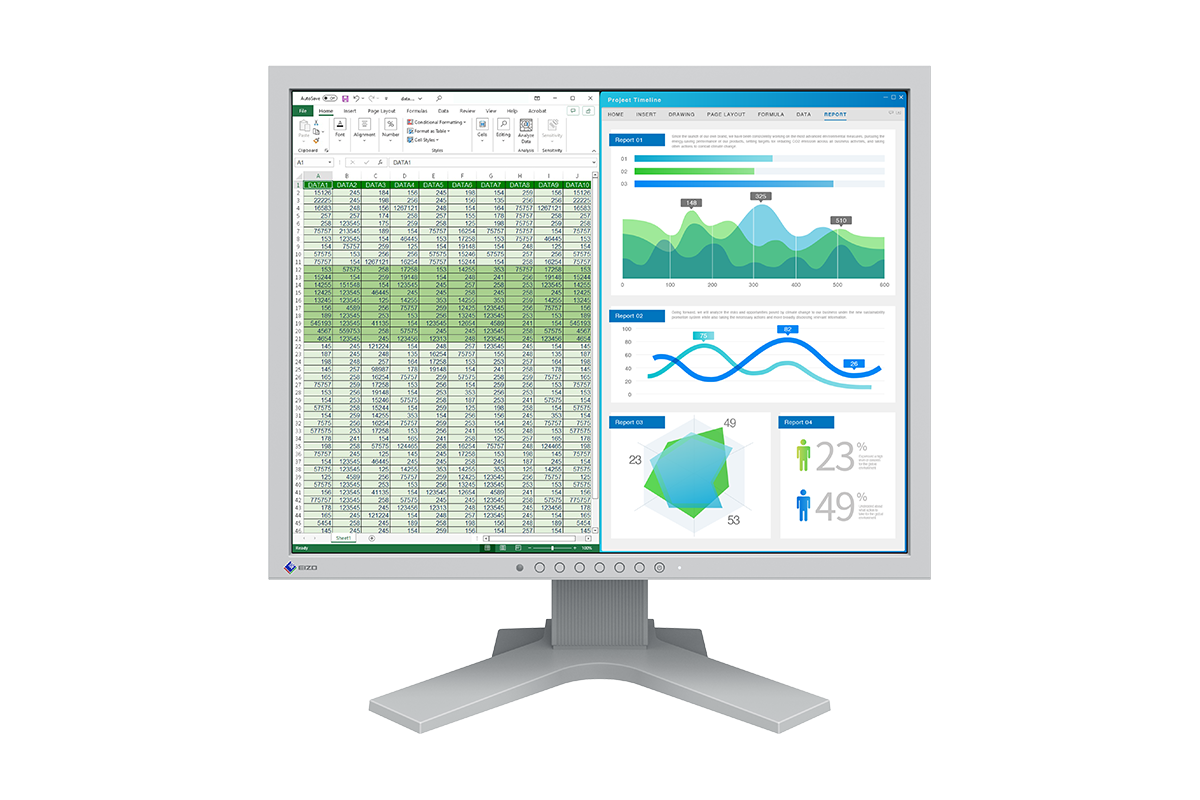
21.3-inch · IPS · 1600 x 1200
This 21.3-inch square monitor with 1600 x 1200 resolution features wide viewing angles and anti-glare for clear display. A 5-year warranty and long-term supply ensures it can be used in back offices and control rooms reliably throughout the long life of the system or application.

15-inch · VA · 1024 x 768
The FlexScan S1504 is a 15-inch square monitor with 1024 x 768 resolution. With a 5-year warranty and long-term supply, it is the perfect choice for back offices and control rooms.

37.5-inch · 3840 x 1600 (UWQHD+) · IPS
The EIZO FlexScan EV3851X is a 37.5" ultrawide curved UWQHD+ monitor with USB-C docking, built-in KVM, LAN port, and the world's first 7-year monitor warranty.

23.8-inch · 1920 x 1080 (Full HD) · IPS
The EV2400R is a 23.8-inch Full HD (1920 x 1080) resolution monitor that balances energy efficiency, ergonomic comfort, and image precision. From its ultra-low power use and recycled materials to features like Auto EcoView and reduced blue light, it’s built to deliver both performance and environmental responsibility in equal measure.

27-inch · 3840 x 2160 (4K) · IPS
The 27-inch EV2740S is designed to meet the diverse needs of modern workstyles with 4K UHD (3840 x 2160) resolution for exceptional clarity and USB Type-C connectivity for streamlined operation, supporting productivity and setting a new standard for business excellence.

24.1-inch · WUXGA (1920 x 1200) · IPS
The 24.1-inch EV2410R is a WUXGA (1920 x 1200 pixel) monitor that supports long-term supply to offices and combines high versatility with elegance.

27-inch · 2560 x 1440 (WQHD) · IPS
The 27-inch EV2720S is a WQHD (2560 x 1440 pixel) monitor equipped with USB Type-C® for improving productivity and comfort at the office or at home.

23.8-inch · 1920 x 1080 (Full HD) · IPS
The FlexScan FLT is the world's first desktop monitor to achieve the highest classification of the European energy label. The classification in energy efficiency class A stands for exceptionally low power consumption.

22.5-inch · IPS · 1920 x 1200
The 22.5” EV2360 with a 16:10 aspect ratio delivers a pin-sharp resolution of 1920 x 1200 pixels. A true all-round monitor for the office.

23.8-inch · IPS · 1920 x 1080 (Full HD)
The EV2460 offers a wide range of connection options thanks to DisplayPort, HDMI, DVI-D and D-sub signal inputs as well as four USB downstream ports.

23.8-inch · IPS · 1920 x 1080 (Full HD)
The EV2480’s USB-C port allows you to use it as a docking station for tablets and laptops. Power, video and audio, as well as keyboards and mice, can be connected to the computer with a single cable.

24.1-inch · IPS · 1920 x 1200
With USB-C upstream, DisplayPort and HDMI inputs, as well as four USB downstream ports, the EV2485 offers exemplary connectivity. In addition, the image quality, ergonomics and energy-saving options are outstanding.

27-inch · IPS · 2560 x 1440
Thanks to the USB-C ports and USB-C daisy chain functionality, the EV2795 doesn’t require any complex cabling and shines with its virtually frameless design.
Monitor Series
See Wider. Trust Longer.

1. World’s First 7-Year Monitor Warranty for Long-Term Peace of Mind
EIZO designs and manufactures its monitors in-house with uncompromising quality and reliability, ensuring comfort and confidence every day.
7 Years of Confidence
With the world’s first¹ 7-year monitor warranty² from the date of purchase, the EV3451X provides long‑term assurance of dependable performance. The monitor is engineered for exceptional quality and reliability and is supported by a comprehensive service framework.
1 According to EIZO’s research as of June 2026.
2 Usage time is limited to 30,000 hours.
Integrated Approach
EIZO’s commitment to quality extends throughout the entire production process. Every stage, including research and development, manufacturing, and quality control, is carried out in‑house. This integrated approach enables precise control over components, assembly, and quality assurance. As a result, EIZO is able to offer a 7‑year warranty with confidence in the long‑term reliability of its products.

2. Contoured to Your Workstyle with an Ultrawide, Curved Screen

More Space, Seamless Viewing
This 34.1‑inch ultrawide, curved monitor features a UWQHD resolution (3440 x 1440 pixels) with a 21:9 aspect ratio, delivering 2.4 times the resolution of Full HD (1920 x 1080 pixels). It provides an expanded workspace for flexible arrangement of multiple applications without the obtrusive bezels characteristic of multi-monitor setups.

See Everything at a Comfortable Distance
When you sit close to a large monitor, the far edges naturally fall farther from your eyes. A curved monitor brings those edges gently toward you, creating a more uniform viewing distance that enhances visibility, focus, and immersion.

3. One Screen, Multiple Devices
Convenient Multi-Input Connection
The Picture-by-Picture (PbyP) function enables simultaneous display of two connected PCs on a single screen, creating a space-saving workspace without the need for multiple monitors. Input switching can be quickly operated via the monitor’s front buttons or keyboard hotkeys, supporting an efficient dual-PC working environment.

One Keyboard and Mouse Across Multiple Computers
The built-in KVM switch function allows you to share a single USB mouse and keyboard across multiple computers. Simply connect them to the monitor’s USB hub and switch control between computers using the monitor’s front buttons or keyboard hotkeys.
Hotkey operation is available only in PbyP display mode.

Preset for Video Production
The monitor includes a preset for BT.709, the standard for HD video production, for content creation and video preview tasks. You can switch display modes easily using the monitor’s front buttons.
4. Get Connected. Get Started.
The monitor’s USB Type‑C® connection transmits video, audio, USB data, power, and even network signals through a single cable. This all‑in‑one solution makes docking your laptop quick and effortless, making it ideal for hot-desking or home offices.

Power Delivery
The 94 watt power delivery via USB Type-C reliably charges laptops or small desktop PCs. This eliminates the need for a laptop’s bulky power supply unit, freeing up space in your bag and on your desk.

Stable Network Connection
The monitor has a built‑in LAN port for a stable wired connection. When you connect laptop via USB Type‑C, it can access the network directly through the monitor, enabling you to conduct conference calls or data transfers reliably and at high speed.
With the MAC address pass-through function, the monitor temporarily uses the authenticated MAC address of the connected PC. This allows seamless network access in shared office environments without the need for additional software.

Directly Connect Peripherals
As modern laptops become thinner and more portable, their peripheral connectivity is increasingly limited. The monitor includes a 4‑port USB hub with an additional USB Type‑C port and three USB Type‑A ports for convenient connection to peripherals such as a keyboard, mouse, or USB storage devices.

5. Aesthetically Pleasing Design
The monitor’s slim bezel design embraces minimalism for an immersive experience.

Colour Coordination to Suit Your Workspace
The monitor cabinet is available in white or black. Matching white or black stands and cables are available for a coordinated look. You can choose white for a bright and inviting tone, or black for a chic and relaxed tone.

Connectivity and Flexibility
The monitor is equipped with USB Type-C, DisplayPort™, and HDMI® video inputs, allowing connection to a wide range of PCs. This makes it ideal for hot‑desking environments and open workspaces.

6. Say Goodbye to Tired Eyes
The monitor includes features that help reduce eye strain throughout the day, supporting better focus and comfort.
Auto Brightness Control
To prevent eye fatigue, a brightness sensor called Auto EcoView detects the changes in the ambient brightness that occur throughout the day and automatically adjusts the screen to the ideal brightness level.

Reduce Blue Light by 80%
Paper Mode reduces the amount of blue light emitted from the monitor, helping to prevent eye fatigue when reading digital documents. When used in conjunction with the Auto EcoView auto-dimming function, blue light is reduced by up to 80%.

Flicker-Free Viewing
Due to the way brightness is controlled on LED backlights, some people experience flicker on the screen, causing eye fatigue. The monitor uses a hybrid solution to regulate brightness and eliminate perceived flicker without compromising color stability, even at low brightness settings.

Minimum Brightness of 1 cd/m²
In a dimly lit work environment, a monitor with low brightness settings is more comfortable to use. The monitor is adjustable to approximately 1 cd/m², which is less than 1% of the maximum.

Technical data
| Model Variations | EV3451X-BK: with FlexStand, black EV3451X-WT: with FlexStand, white EV3451X-FBK: without stand, black EV3451X-FWT: without stand, white Note: FlexStand is removable |
| PANEL | |
| Type | IPS |
| Backlight | LED |
| Size | 34.1" (86.7 cm) |
| Native Resolution | 3440 x 1440 (21:9 aspect ratio) |
| Viewable Image Size (H x V) | 799.8 x 334.8 mm |
| Pixel Pitch (H x V) | 0.233 x 0.233 mm |
| Pixel Density | 109 ppi |
| Curvature | 3800R |
| Display Colors | 16.77 million |
| Viewing Angles (H / V, typical) | 178° / 178° |
| Brightness (typical) | 350 cd/m2 |
| Contrast Ratio (typical) | 1000:1 |
| Response Time (typical) | 5 ms (gray-to-gray) |
| Color Gamut (typical) | sRGB |
| VIDEO SIGNALS | |
| Input Terminals | USB Type-C (DisplayPort Alt Mode, HDCP 2.3 / 1.3), DisplayPort (HDCP 2.3 / 1.3), HDMI (HDCP 2.3 / 1.4) x 2 |
| Digital Scanning Frequency (H / V) | USB Type-C: 31 - 152 kHz / 29 - 101 Hz DisplayPort: 31 - 152 kHz / 29 - 101 Hz HDMI: 31 - 152 kHz / 29 - 101 Hz |
| USB | |
| Upstream | USB 5Gbps: Type-B, USB 5Gbps: Type-C (DisplayPort Alt Mode, Power Delivery Source 94 W max.) |
| Downstream | USB 5Gbps: Type-A x 3, USB 5Gbps: Type-C (Type-C Current, 15 W max.) |
| USB LAN Adapter | RJ-45 (2.5GBASE-T) Windows 11, macOS Monterey (12) or later |
| AUDIO | |
| Speakers | 2.0 W + 2.0 W |
| Input Terminals | USB Type-C, DisplayPort, HDMI x 2 |
| Output Terminals | Headphones (Stereo mini jack) |
| POWER | |
| Power Input | AC 100 - 240 V, 50 / 60 Hz |
| Typical Power Consumption | 15 W |
| Maximum Power Consumption | 204 W |
| Standby Mode | 0.3 W |
| FEATURES & FUNCTIONS | |
| Preset Modes | User1, User2, Eco, sRGB, Paper, BT.709, DICOM |
| Simultaneous Display | Picture by Picture (2 PbyP) |
| Automatic Brightness Control | Auto EcoView |
| OSD Languages | English, German, French, Italian, Japanese, Simplified Chinese, Spanish, Swedish, Traditional Chinese |
| PHYSICAL SPECIFICATION | |
| Dimensions (Landscape, W x H x D) | 816 x 382.7 - 577.7 x 242.6 - 250.2 mm |
| Dimensions (Without Stand, W x H x D) | 816 x 368 x 92 mm |
| Net Weight | 11.9 kg |
| Net Weight (Without Stand) | 9.3 kg |
| Height Adjustment Range | 195 mm |
| Tilt | 35° Up, 5° Down |
| Swivel | 90° |
| Hole Spacing (VESA Standard) | 100 x 100 mm |
| ENVIRONMENTAL REQUIREMENTS | |
| Operating Temperature | 5 - 35°C |
| Operating Humidity (R.H., non condensing) | 20 - 80% |
| CERTIFICATIONS & STANDARDS | TCO Certified, generation 10, EPEAT Gold with Climate+, TUV/Ergonomics, TUV/Low blue light content, TUV/Flicker Free, TUV/GS, RCM, CE, UKCA, CB, cTUVus, FCC-B, CAN ICES (B), TUV/S, PSE, VCCI-B, EPA ENERGY STAR, RoHS, WEEE, China RoHS, CCC |
| DEDICATED SOFTWARE | |
| Monitor Control Utility Screen InStyle | Supported |
| SUPPLIED ACCESSORIES | May vary by country. Please contact EIZO for details. |
| Signal Cables | USB Type-C (1.5 m), DisplayPort (2 m) |
| Others | AC power cord (2 m), USB Type-A - USB Type-B cable (2 m), connector cover, setup guide |
| WARRANTY | 7 Years Zero bright sub-pixels for six months from date of purchase. |
| Warranty Notes | 2) With current LCD / OLED technology, a panel may contain a limited number of missing or flickering pixels. 5) If the monitor is left on continuously over a long period of time, dark smudges or burn-in may appear. To maximize the life of the monitor, we recommend the monitor be turned off periodically. 16) EPEAT registration varies by country. Please check https://www.epeat.net for registration status. |
| Dimension Drawing |
Downloads
+Brochures
- FlexScan Series 2026 >
PDF | 12.4 MB
+Manuals
- EV3451X Setup guide >
PDF | 2.91 MB - EV3851X / EV3451X / EV3450XC Assembly Instructions >
PDF | 803 KB
+Software
- Screen InStyle >
EIZO’s Screen InStyle software allows you to easily manage power, colour, brightness, and other settings in a single or multi-monitor setup.
- Screen InStyle Server >
The Screen InStyle Server application allows system administrators to manage and control monitors and PCs connected to the network.
- EIZO MAC Address Clone Utility >
EIZO MAC Address Clone Utility for Windows OS temporarily sets the MAC address of your PC as the MAC address of an EIZO monitor equipped with a USB LAN adapter.
Accessories
Is there something else you need? If you are interested in any of the accessories for the EV3451X, please contact us.


Our Environmental Commitment
EIZO considers longevity, sustainability and environmental friendliness to be main components of product quality. That’s why EIZO’s EcoView monitors feature intelligent energy saving features, are produced in accordance with international environmental regulations and reduce resource consumption thanks to the long service life they offer.
Save up to 30% of energy with the EcoView Optimizer
Save electricity without compromising quality: The EcoView Optimizer reduces the background lighting fully automatically for dark images. This reduces electricity consumption by up to 30%. At the same time, the signal is amplified and the colour tone values adjusted. The result: You will enjoy the image quality you are used to but consume less power.
Zero-watt consumption thanks to the power switch
The monitors have an integrated mechanical power switch, which is extremely practical and energy-saving: If you switch off the monitor using the power switch, the device will stop consuming any power at all. Moreover, it consumes a maximum of 0.5 watt in standby mode.
Environmentally and socially conscious production
EIZO uses the FlexScan monitors to showcase how image and product quality go hand in hand with responsible planning, material procurement and production. This intrinsic value enables you to make a safe investment in a modern and reliable monitor.
Socially responsible production
The FlexScan monitors are produced in a socially responsible way. It is free of child labour and forced labour. Suppliers along the supply chain have been carefully selected and they have also committed themselves to produce in a socially responsible way. This applies in particular to conflict minerals. We present a detailed report about our social responsibility annually and voluntarily.
Environmentally and climate friendly
Each FlexScan monitor is manufactured in our own factory, which implements an environmental management system in accordance with ISO 14001. This includes measures to reduce waste, wastewater and emissions, resource and energy consumption, as well as to encourage environmentally conscious behaviour among employees. We publicly report on these measures on an annual basis as a main component of our CSR (Corporate Social Responsibility) report.
Sustainable and durable
The FlexScan monitors are designed for a long service life that takes into account the entire lifecycle and impact on the environment. It is generally well above the five-year guarantee. Spare parts are available up to five years after the end of production.
The monitor’s long service life and the ability to repair it save resources and the climate. When designing the FlexScan we paid attention to reducing resource consumption by using high-quality components and materials and being meticulous in production.
The packaging of the FlexScan consists of cardboard box made of 85% recycled paper, while the transport padding is even 100% recycled material.
A natural beauty
Reducing the use of volatile organic compounds (VOCs) found in material production, such as some paints, is a global concern.
EIZO uses its expertise cultivated from extensive years of research to manufacture its monitor cabinets with a smooth, uniform colour and texture without using paint.
Compliance with standards and guidelines
The monitor is certified according to important and all-encompassing sustainability standards such as TCO Certified Generation 9, EPEAT and ENERGY STAR®.
The FlexScan monitors are a safe investment, when taking into account issues such as ESG (Environmental, social and corporate governance) or SDG (Sustainable Development Goals) from the United Nations and following the necessary guidelines.
Warranty
The world’s first 7-year monitor warranty. EIZO’s fully integrated production process, from research and development through to manufacturing and quality control, means every FlexScan monitor is built to perform reliably for the long term. For you, that means greater investment security and a lower total cost of ownership.

Seven-year warranty
EIZO grants a 7-year warranty on all qualifying FlexScan monitors. This is made possible by an end-to-end in-house production model built on precision engineering and rigorous quality control, and sophisticated monitor technology made to last.
* Usage time is limited to 30,000 hours.
Environmental Commitment
EIZO strives to contribute to the sustainable development of our society by being conscious of the impact our business has on the environment.

Additional information
| Product Range | |
|---|---|
| Areas of Application | Private users & small businesses, Large & medium sized companies |
| Screen Size | |
| Resolution | |
| Signal Connections |